
Like A Headless Server

My Apple TV is dying. It’s the beautiful, sleek first generation model that worked really well within the best girlfriend ever’s living room design (and not like these pokey, hockey puck resembling newer ATVs), but it’s now 6 years old, and it makes funny noises at times, has the odd flicker and, like a geriatric projectionist gets rather hot and refuses to play the chosen film until you feed him Werther’s Echte or it’s Carry On movies all the way. Last night it refused to play ‘Castle’. The best girlfriend ever almost had a heart attack. So I started to research alternatives. It needed to be cheap and the old IBM ThinkCentre I had lying around was just what I needed, but its motherboard threw so many BSODs that even an XP install was torture. So a new machine it had to be. But within reason please, as ‘a penny saved is a penny earned’ (Mrs Cosmopolite, Nr 3 Quirm Street). A small form factor would be nice, so mini – ITX was the motherboard size of choice. After looking around for a bit, I found this:
2013-10-15 19.31.10

This is the charmingly named Gigabyte GA-E350N WIN8, a 17x17cm teeny weeny little powerhouse with some interesting properties like an old PCI slot and serial port, so clearly made for people  who still have some legacy hardware lying around. Just like yours truly. It comes with a nice AMD E350 dual core CPU, so no need to buy a new one. It has decent Radeon onboard graphics, but this being for Castle – serving purposes it’s not really that important.  Admittingly, it’s not the quickest chip in town, but Castle is not the hippest show in town either.  Now all I needed was a nice case. There is still a Macintosh SE/30 lying around in the garage that was ruined by corrosion on its motherboard, but that’s going to take a few weeks to get ready, and time was of the essence, because you never know how long the AppleTV will be working. So an alternative case had to be found. After some deliberation, the postman delivered this: The snappily titled Cooler Master Elite 120 Advanced USB 3.0 Mini ITX Case. It is rather beautiful. And it fits so much stuff! And the best thing: you don’t have to buy a new PSU, but can just use your old ATX PSU. Genius! So, after unpacking, I was looking at this:

2013-10-17 11.13.11

Mmh. It looks nice and clean. See whether I can get this working.

2013-10-17 11.35.28

Ok, so that’s how you fit in the hard disks. I wonder if I can get a few more in there…

2013-10-17 11.35.39

Motherboards fits…

It's a bit like a weird game of Jenga

It’s a bit like a weird game of Jenga
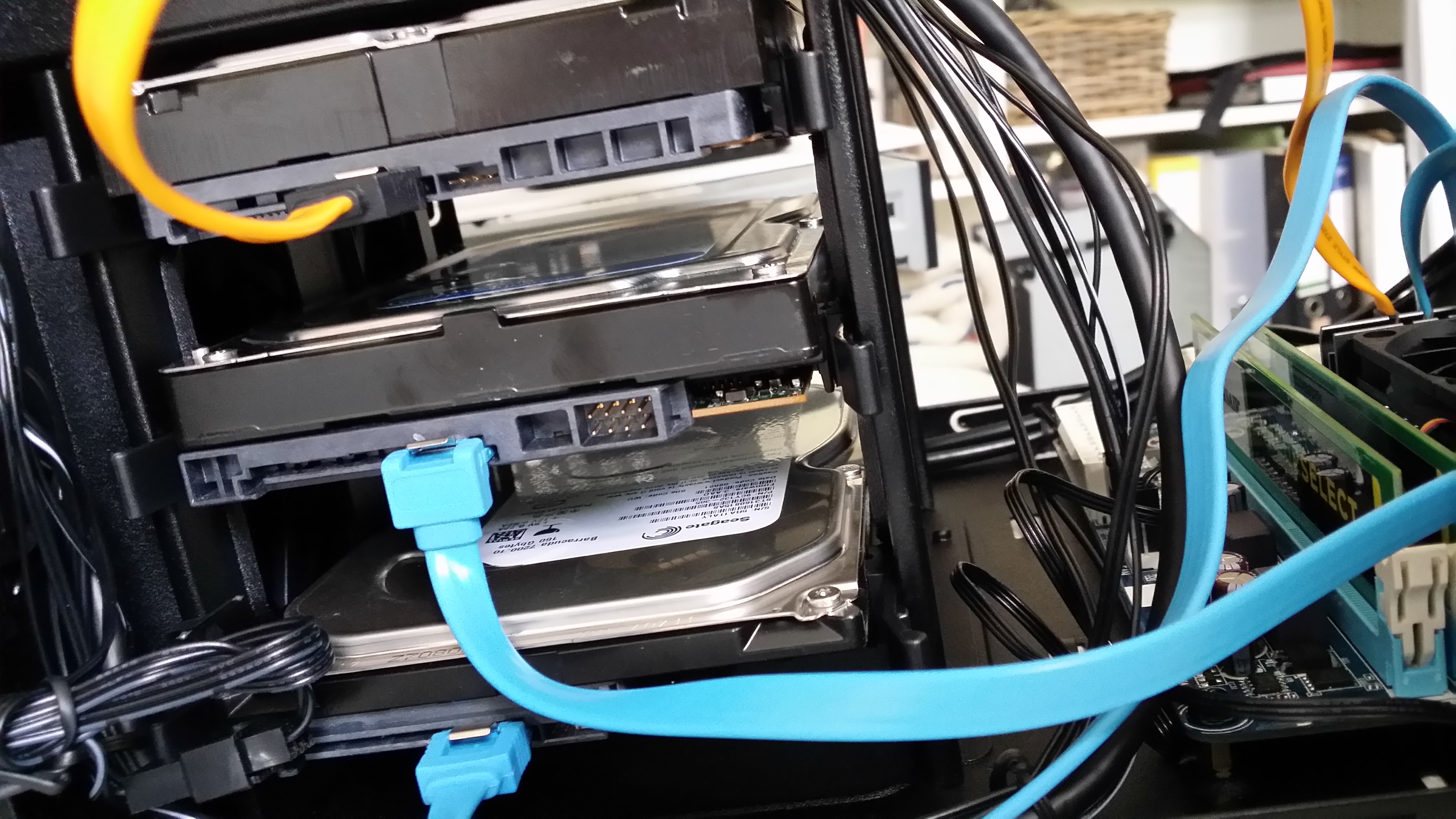
Three! That will fit a lot of Castle

Three Terabyte,  That will fit a lot of Castle
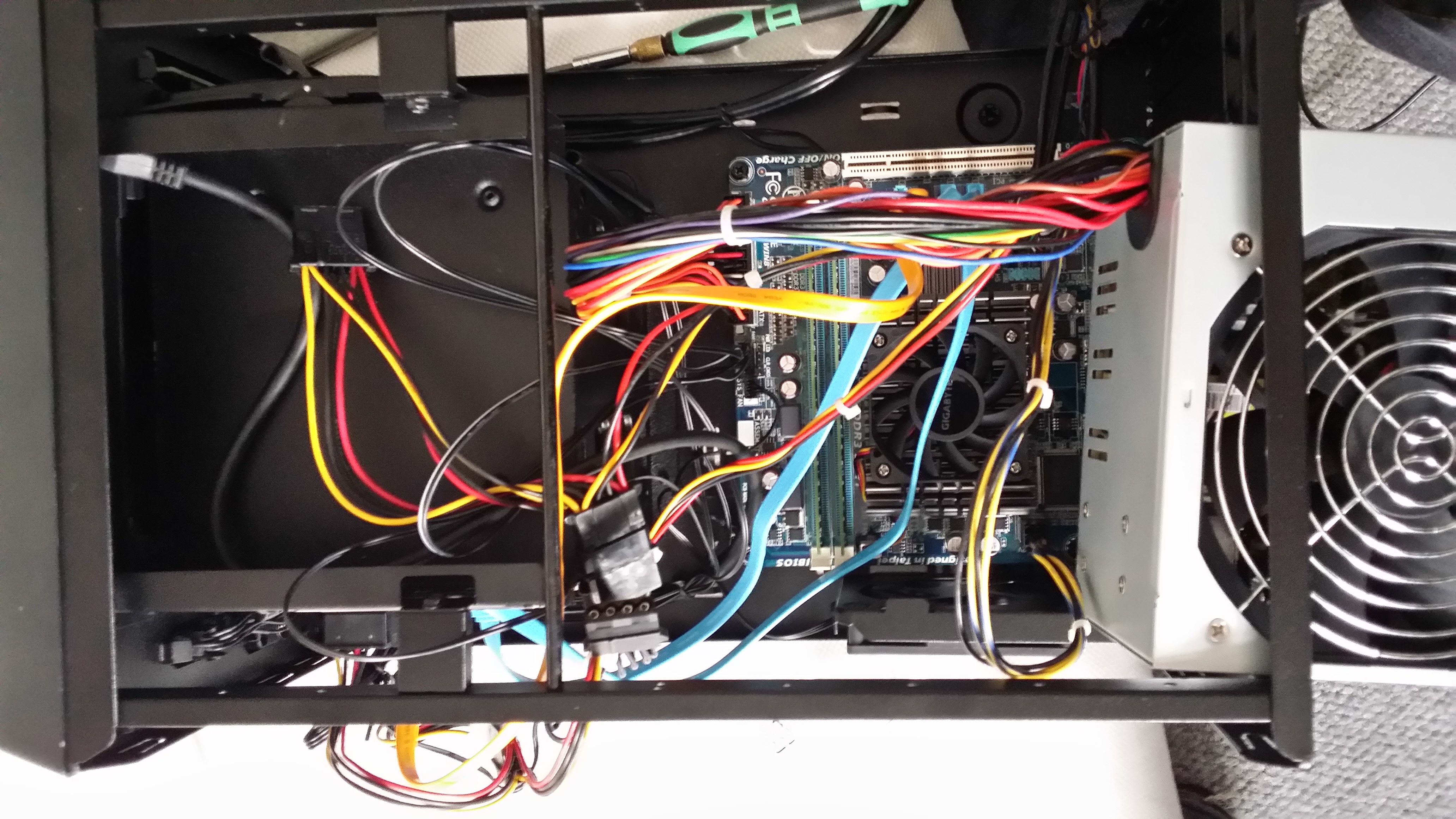
2013-10-17 12.18.30

So you slide your old PSU in there from above…
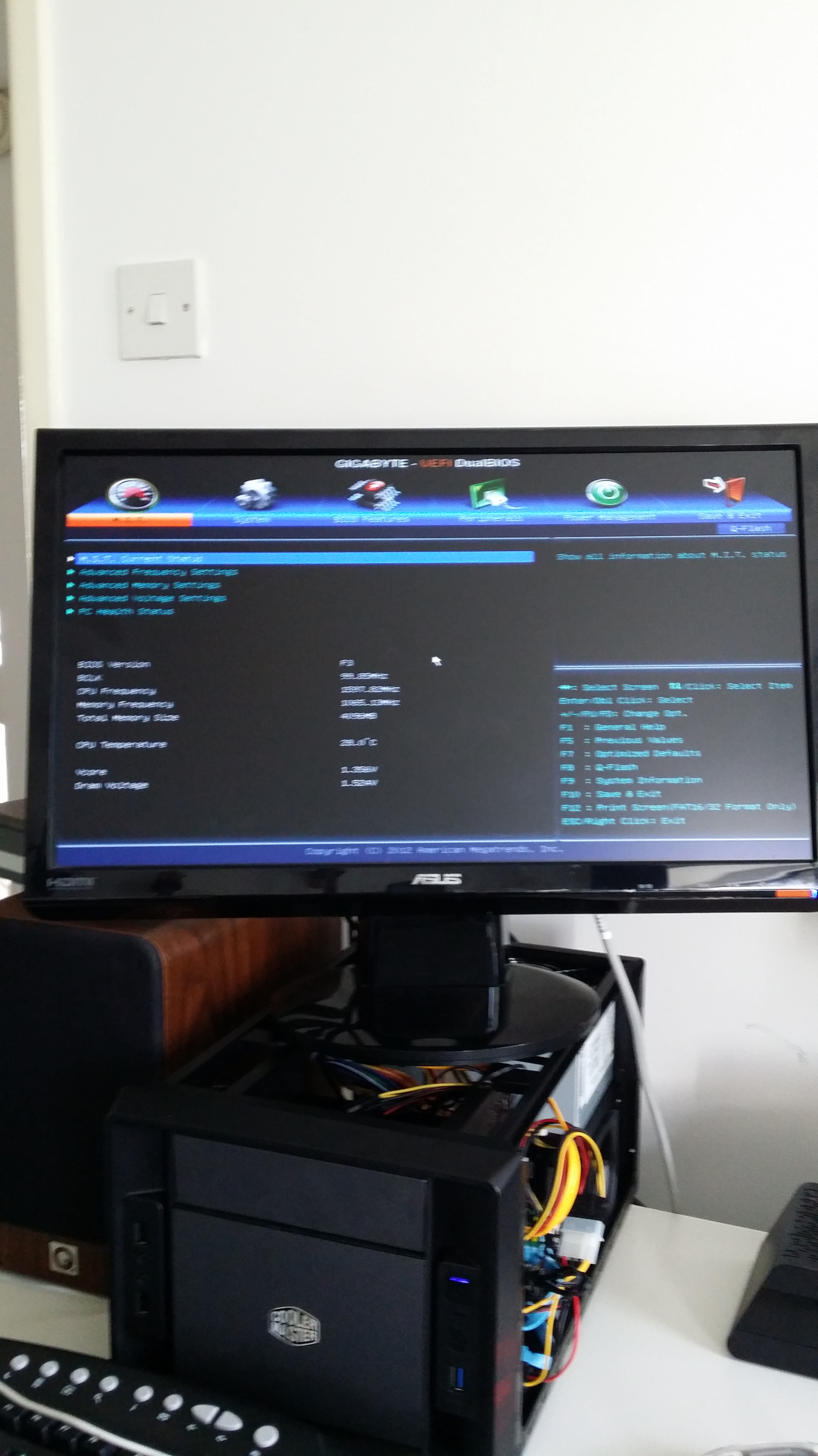
Something is happening!

Something is happening!

2013-10-17 17.01.45

It is accomplished!

So, software. Well, I thought about Debian and Open Media Vault, but both were being bitchy about my ancient external USB DVD-Rom and refused to install (and were bitching about Grub2), so in the end it was an old legit XP OEM disc that I had lying around. Which is fine with me, because it runs Itunes and can now serve the soon to arrive hockey-puckish AppleTVwhatevergenerationtheyareatnow. And it stores all the action shots of my mouse and bird cams. And it serves music to the various Revos that are strewn around the house. All that for less than a 100 quid.

It’s good to be a Nerd.

What to do with an Ipad

So I had my Ipad now for 4 weeks, and it’s been an interesting experience, to say the least. People still stare at the thing (not so much at me, thanks heaven) when I fire it up on the train and can’t seem to be able to peel their eyes away from it. Initially I was a bit concerned about its potential uses and that I might have bought the most overprived email reader ever, but over the last 2 weeks or so I have slowly but surely started to appreciate its strengths.

So, what is it good for?

Reading

You might think that’s a bit obvious, but since you can import pdf’s into the book reader, I carry a lovely little collection of white papers, studies and manuals around with me that I can read at leisure on the train without showering everybody in paper. The ebooks available on iTunes are still a bit few and far between (not if you’re a Jeremy Clarkson fan though), but if you keep looking you can pick up some pretty good deals. Reading is a joy, especially on busy train rides, as you can use the iPad one handed and switch between pages with your thumb.

Video

Thanks to the iTunes store I now carry a 2 or 3 seasons of my favourite TV shows always around with me, which makes train journeys and flying much more fun. It’s also much easier to watch than with my Macbook. Try unfolding a Macbook on Ryanair or Easyjet! With a good set oh headphones you can forget the world around you and enjoy watching a group of total strangers hunting another group of strangers on a desert island after a planecrash.

Music

As a pure music player it’s a bit bulky, but if you’re reading anyway, it serves this purpose as well

Email and Web

With a zippy 3G connection or Wifi no complaints. Flash would be nice, though.

Everything else

I have suddenly started to take notes during meetings, as text entry is quite easy. Killer applications like Korg’s ielectribe halp with creating beats on the train.

Is it worth the 700 pounds? Likely not.

Is it oodles of fun: Definitely.

Should you have one? It depends. If you have a long commute on the train or if you travel regularly, definitely!

Otherwise, spend half the money on a decent netbook.

Moving from the Mac to Ubuntu?

It’s time that we had another geekish post, as there has been far too much footy and other stuff lately So today we will focus on the age old lament of people switching to Linux because they fear Apple’s hardware and software lock in. THis time it’s Salon.com’s Dan Gillmor to make the big jump and I completely understand where he’s coming from. I’ve done it numerous times: after I sold/broke a Mac I swore solemnly to embrace Open Source and would end up buying some laptop and install Ubuntu/Suse/Mandriva/Debian/Red Hat on it, just to pine for the functionality of ease of OS X on a MacBook and end up byuying one 6 months later anyway.

It’s perfectly ok to be suspicious of Apple’s control freakery, but in the end their stuff works. No missing drivers, no blue screen of death, no Kernel upgrades that go awry, no hardware problems. I have Ubuntu Karmic installed on my Desktop where it works just beautifully, but just because I continue working under the hood to MAKE it work.

Not so my MacBook (s). Since my first Powerbook 150 back in 1993 they have performed dutifully from day one, survived numerous drops and my current one dutifully updates my Ipad (which I now carry around with me instead).

So if Simon wants to go down the exciting road of Linux on the Laptop, I wish him luck. Being old and lazy now, I prefer to use what works.

P.S. Looks like Ubuntu isn’t working on his new Levono.

Windows Mobile 6.1 and the irritating case of the non-functioning SMTP server.

As I have mentioned earlier, I am the happy owner of a Sony Xperia X1. So far the little marvel as been a delight to use, but for some weird reason Outlook Mobile suddenly refused to talk to Apple’s smtp server, so I wasn’t able to send any emails. Having a little bit of technical insight, I started to blame the following individuals and organisations:

  • Myself for getting the settings wrong
  • Apple for messing up its Mobile Me service
  • Vodafone for blocking any other smtp server than their own

Turns out none of them were to blame. In fact it was Microsoft who dropped the ball on this one (I really shouldn’t be that surprised). Turns out that this is a long standing bug feature of Windows Mobile 6.1 that  can only be remedied by patching the phone.

You would have thought that this is something that more people than myself complain about, but it took quite a bit of googling to find the real reason behind this annoying little ‘quirk’.

I really should have thoought of MS first, but that’s what you get when you’ve been running XP now for years without hickup:  complacency!

The Xperia X1. Useful.

I have been on the market for a new mobile phone for some time. I have been scouring the net for advice, read reviews, and ended up wanting a Nokia E71. Unfortunately this little machine wasn’t available for individual accounts at Vodavone here in the UK.  So, I had to think again. A Motorola phone was out the question after my V3x flaked out on me too often (mainly hardware problems with the USB port).  An Apple Iphone was an interesting choice, but too many of my fellow train travellers already had one and were obviously always struggling with emailing using the touch screen. On top of that I already own a Ipod touch AND resolved to get out of my “Apple only” policy that kept me locked in for too long in Steve’s steely embrace. With my reliance on Apple products gone, I was free to pick and choose anything that would work (i.e. synchronize) across the operating systems and machines I own (Ubuntu/OpenBSD/Windows/Ipod(s)).

With the E71, Motorola and the Iphone out of the question, there was really only Sony, LG, Samsung, HTC and the Android left. The Android – while geeky – is just plain ugly and rather enormous. As I wanted a ‘proper’ external keyboard (I never really achieved proper texting speeds on a numeric keypad), only some of the more exotic HTCs and the Xperia were left. I had a Sony before and was always impressed by its solid build, so the Xperia it had to be (yes, I know, built by HTC, but there you go) .]


Image courtesy of Paul at Modaco.com

First impressions: it’s much smaller than the ads make you believe. It’s also pretty good looking. The slide out mechanism of the keyboard is easy to use with only one hand and the keyboard is ok even with my enormous sausage fingers. I was a bit apprehensive about using Windows Mobile 6.1, but so far it seems to be doing ok. It is responsive, the email client Opera Webbrowser works well, and the panels are just gorgeous. The connectivity options are mindboggling:  GSM, UMTS, HSDPA, Wifi, Bluetooth, Carrier Pigeon (with an extra carrier bag). This baby does everything. The Camera is pretty spiffing and easy to use: just hold the phone horizontally between your hands and off you go. Autofocus works well.  Here’s a little pic I shot in Inverary:

dsc_0002

Now that’s not bad for a phone camera. Not bad at all. It’s quite intuitive to use as well. There are plenty of apps out there for Windows Mobile, and thanks to DVD-Rip  and my built in 4GB MicroSD card I have 3 movies on there at any time. It also has an FM Radio.

Am I happy with it?

Yes. It has given me as much functionality as I need with some cool software, has not locked me into Apple and  plays my movies, my music, manages my contacts, does my email and even can take my phonecalls.

What else do I need?