C-Media 8738 / 8768 drivers

I recently built a new PC, mainly to play my favourite games from yesteryear,  from some moderately oldish parts lying around, and unfortunately found out that the used mother board I got from e-bay had a problem with its sound, as one of the channels didn’t seem to work. Not to fret, I thought and went straight to the next PC-World to get some cheapo 5.1 soundcard. I think I spent 15 pound on this no-name, white box model based on the  C-Media 8738 / 8768 chipset and quickly found out that the accompanying Windows driver was terrible shite and buggy as hell.

Well, you get what you pay for.

Then I found a open, free (new BSD license) actively supported driver by a mysterious bilingual gentleman calling himself  ”dogber1” that works absolutely terrific and has resuscitated this machine. Good documentation, easy install and a goof community site make this an excellent choice for your old soundcard.

Another example how open source can deliver excellent quality to the masses.

Ubuntu on the Aspire One

Hello all,

after a short break from posting, Messagedfromtheouthouse is now back in action. Work unfortunately was a bit overwhelming over the last two weeks, but after a nice and quiet weekend filled with lounging on sofa and bed and some serious Indian cooking I am appropriately refreshed to get back to the important business of blogging. Anyway, I am sure you all remember that I recently bought an Aspire One, Acer’s answer to the EEEpc, the lovely little white laptop that is giving so much joy to the best girlfriend ever (and millions of happy clients all over the world). Faced with a serious shortage of EEE’s in my vicinity, I went for the Aspire One with it’s chunky 120MB HD and more generous sized keyboard. Fitted with ‘Linpus Lite’, I was moderately happy with the machine, though it’s ancient software suite and garish desktop design annoyed me slightly.That and it’s annoying fan, but that’s a different story.

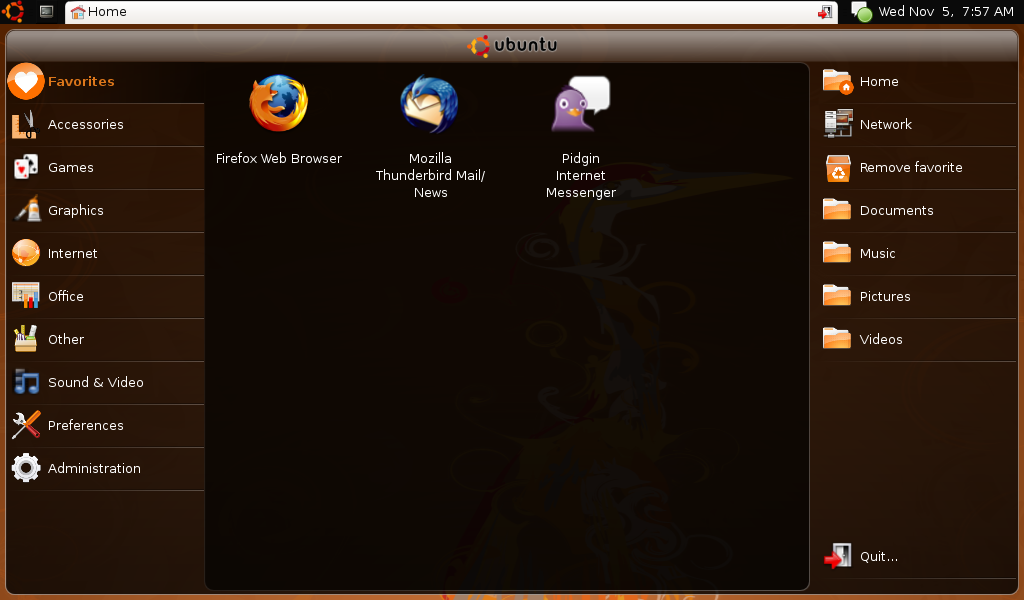
This weekend I finally had the chance to change the operating system, and after much soul searching I went for Ubuntu’s Netbook Remix (NMR). And boy, the change is immense.

But first things first: the current NMR is based on Ubuntu’s Hardy Heron with some kernel tweaks for Intel’s weird little Atom processor and some proprietary drivers for the built in wifi. The installation is straightforward: download the image, transfer it unto a USB key, boot the AspireOne from the USB key and Robert is your mother’s brother. After the first boot all you have to do is add some personal details and everything just works. Firefox 3, Evolution, Open Office 2.4, all wrapped up in a very tasteful GUI, devoid of the terrible vomit green and orange colours that Linpus Lite was offering.

Battery management seems improved, wifi works, audio works (and somehow sounds not as flat. Maybe due to a different Alsa version?), webcam works, and now I have access to Ubuntu’s massive repositories and I don’t have to dabble with Fedora’s weird package management system anymore. A win-win situation.

Suddenly working with the AspireOne seems to be much more fun.

Acer Aspire One instead of EEEpc. Oh well.

Right.  Turns out my online supplier of geeky goods actually sold out of the desired EEE. Just as all the other computer retailers around me in the south east of England. So I ordered an Aspire One. To be exact, the Aspire One A150-AB (Why in the world do makers of laptops come up with these weird and seemingy random model numbers?). This baby sports 1 GB ram, a chunky 120GB HD and Linpus Lite, their netbook Linux flavour, a derivative of Fedora 8. That would be another Linux flavour to get used to. Sigh. So one day the nice man from Amazon knocked on my door and brought a small but eagerly awaited package.

The Aspire is undoubtedly attractive and feels better designed and made than the best girlfriend’s first generation EEE. The keyboard and the screen especially are superior to the EEE, and there is a multicard reader that’s coming in handy.

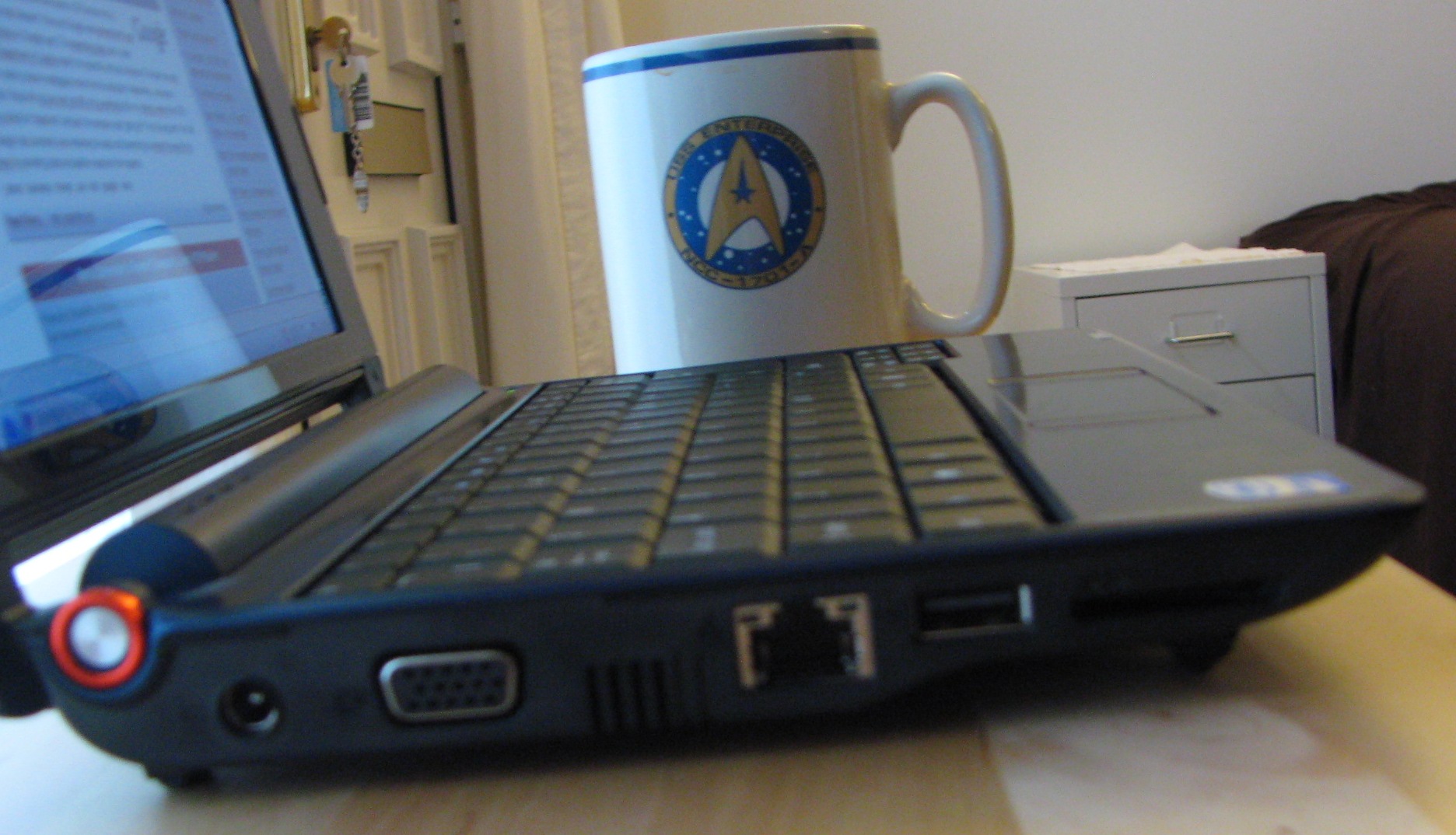
Still compact, but larger than a Star Trek VI mug.

Apart from the multicard reader there’s 3 USB Slots, an external VGA plug, and an additional slot for more SD cards. It boots up in seconds and apart from a mild whirring noise when the little fan is trying to cool Intel’s Atom processor pretty quiet (though not as silent as the girlfriend’s eee).

It’s pleasant on the eye, balances well on my lap and fits perfectly into my work bag. Unfortunately the batttery is completely pish. While watching Little Britain USA (which, btw was rubbish) the battery drained almost cmpletely, and I presume that under full load the battery wouldn’t last longer than an hour. No comparison to my Macbook that would happily run for 5 hours. So no long train journeys or flights to New Zealand in economy class then.

As mentioned before, Acer is selling the One with Linpus lite, a Fedora 8 derivative. This is quite similar in apperance to the EEE’s Xandros flavour, just with worse applications. I have no idea who had the idea of leaving out Skype (it does have a webcam, you know), VLC and Thunderbird and instead use some other unusuable crap. So my first job was to get used to Fedora’s weird package manager, ‘yum’. I now have all the necessary apps installed, and available via XFCE’s ‘advanced menu’, but still have to remove the annoying apps and then edit the desktop file to add the right icons. I am quite happy to do that, but I can see the best girlfriend ever struggling with that task.  I have no idea what Acer’s software engineers were smoking when putting the One’s software package together, but here they certainly messed up.  Another minus was the lack of the GIMP and the fact that so far my trusty TX1-Powershot is not being recognised by the crappy photomanager.

So, after 3 days with the Aspire, what are the first thoughts?

Well designed hardware that is let down by a crap battery and a software package that is lacking in functionality compared to the EEE’s far superior Xandros flavour. I am pretty sure that very soon Ubuntu’s Hardy Heron will make a guest appearance, but for now I am just happy that I have replaced the Macbook with a credit-crunch model (the Aspire costs exactly a third) and that I can again watch movies and listen to my music.
Iphone Fever

There I was, trying to get my morning paper, and then it appeared in front of my eyes: a 100 meter queue in front of an O2 shop.

In Ilford !

Iphone fever must have truly gripped the last corner of the British Isles.

5 Months with the EEEPC. An interim review. By a female user

Last Christmas, I gave her an EEEPC, but the very next day, I wanted to take it away (because I wanted it for myself). (with apologies to Wham)

In the past I have discussed the reasoning for buying an EEEPC: form factor, operating system and price were certainly the most important considerations. I knew that my significant other wouldn’t be interested in a dual core processor, an enormous hard disc or copious amounts of ram, as all a laptop should do (for her) is email, browse the web (including flash), watch movies, listen to music and synchronize her Ipod. And do it safely. A tall order? Obviously not, as the little EEEPC has been doing this quite happily ever since. So, after 5 months, I asked the best girlfriend ever for an interim review.

FB: What kind of laptop(s) did you use before? B.G.E:  An IBM thinkpad running XP and a G4 Ibook. The former because it was given to me by my employer and I let my IT department deal with any windows related problems, the latter because you gave it to me. Both did what they were supposed to do.

FB: Did you have any problems with the EEEPC’s unusual GUI? B.G.E: No. None whatsoever. It’s self-explanatory and easy.

FB: Did you have any problems with the EEEPCs applications? B.G.E: The original Skype version that was distributed with it crashed and was unusable, but after updating it, everything worked fine.

FB: Are you happy with its multi media capabilities, and what do you do with it? B.G.E: I generally use it for the BBC’s Iplayer and have watched an ripped .avi movie. Quality is astonishingly good for a machine that size, but head phones improve the experience enormously.

FB: Did you have any problems using its networking interfaces? B.G.E: No problems with both Wifi or ethernet.

FB: Do you use it for productivity purposes? B.G.E: I am looking forward to use it away from my desk more frequently in the future.

FB: Are there any limitations in your user experience due to the EEEPC’s size? B.G.E: Some people may mind its screensize and the fact that you have to scroll horizontally much more frequently than with bigger laptops. The trackpad goes on my nerves and could be better. An external mouse enhances the experience immensely.

FB: What’s the best about the EEEPC? B.G.E:  It’s cute looks, its size (it easily fits in my handbag) and people want to talk to you about it in cafes.

FB: What’s the worst? B.G.E: The mousepad.

FB: Thank you. B.G.E: Thank You.